Archive for the 'Technology' Category

Please don’t melt my face…

…ah, dodgy Li-ion batteries, strapped to my head… what could go wrong?

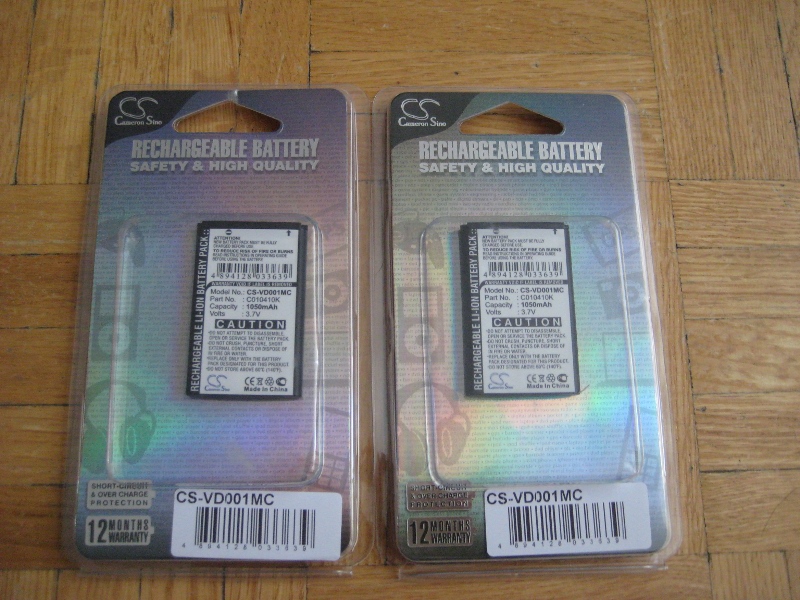
I wanted to get another battery for my ContourHD helmetcam… but for such a small battery they aren’t cheap! So I dug around the VholdR forums and Ebay… and found that I could get 2 aftermarket batteries shipped to my door for less than the price of a single OEM (even before tax+shipping!). So I send $28.53 US to Lion Battery and a week later they arrived in a small padded envelope.

contourhd_batteries_1

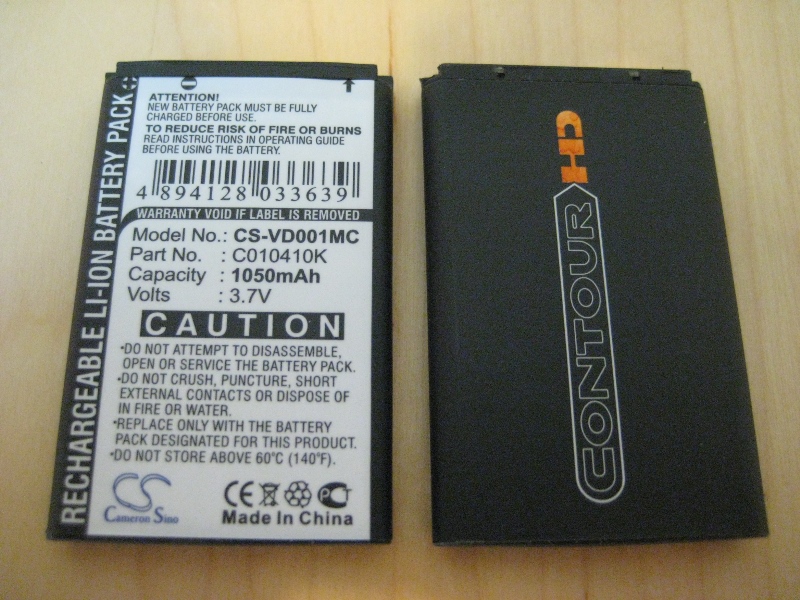
The packaging said they were made in China by Cameron Sino. Some of the OEM battery ads made a point of saying that some aftermarket batteries had a poor fit… but at first glance the Cameron Sino copies appeared to be the same size (aftermarket on left, OEM on right):

contourhd_batteries_2

…but when you put them in the camera you can see that they’re a bit thinner: if you wrapped a piece of paper around them (or a thicker sticker) they would be a perfect fit (aftermarket on top, OEM on bottom)

contourhd_batteries_3

contourhd_batteries_4

I charged and discharged all of my batteries a few times and recorded run times (2 used OEM, 2 new aftermarket). It was easy enough to do: just turn on the camera… come back when it’s dead… and then look at the length of the video files it recorded. The averaged results:

OEM runtime: 2h38min
Aftermarket runtime: 1h50min

…in other words the Cameron Sino batteries only had about 70% of the capacity of the OEMs… though the advertising/packaging claims the same 1050mAh capacity of the originals. This wasn’t a huge surprise: I’m well aware of what I’m getting when I buy cheap batteries from Ebay. In this case it turned out to be a deal. Why? If I ordered 2 batteries from the site I linked above (that says they’re on sale) it costs $65.98 for the batteries, $3.30 for tax, and $5.70 for the cheapest shipping (= $74.98). The 28.53US I paid is $30.06 Canadian… 40% of the OEM price.

So, 70% of the runtime, for 40% of the price. And they still last over 1h45m before I have to swap them out. That’s a deal!

More ones, more zeros…

What do you do with an old, loud, hot fileserver that’s acting up: crashing after a couple days or weeks of use? What if it’s full of obsolete IDE drives, and the drive industry is moving to SATA? What if you’re tired of buying replacement IDE parts to limp along just a little while longer?

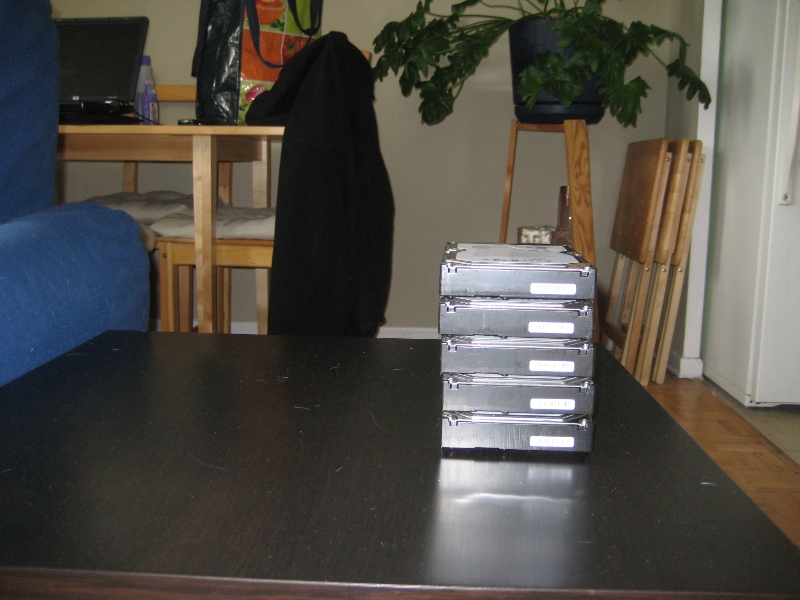
Well, if you have 5 free SATA ports… you buy 5 of the best bang-per-buck 1.5TB SATA drives and upgrade! Here they are fresh out of their static bags. They don’t take up too much space, do they?

one_and_zeros-01

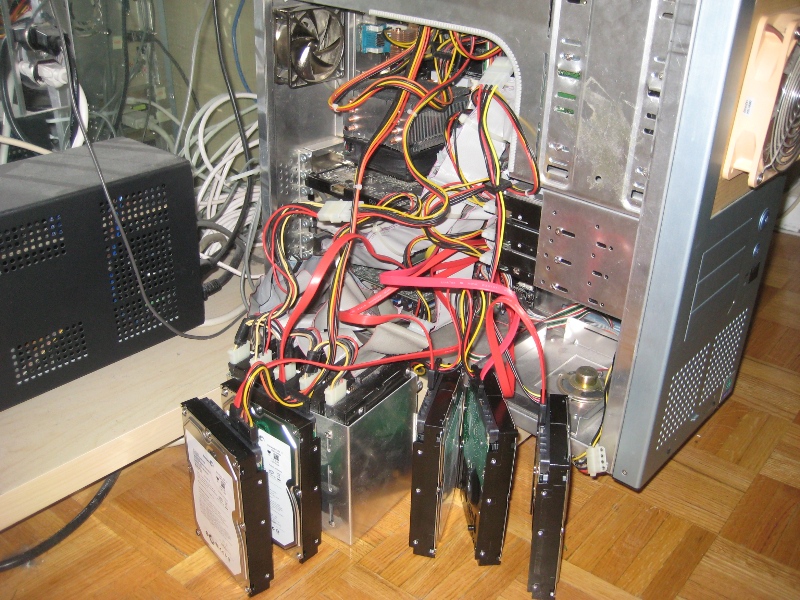
And here they are in a birdsnest of wires, hanging out the side of the case while the filesystem is formatted and all the files are copied over (which took about 12 hours):

one_and_zeros-02

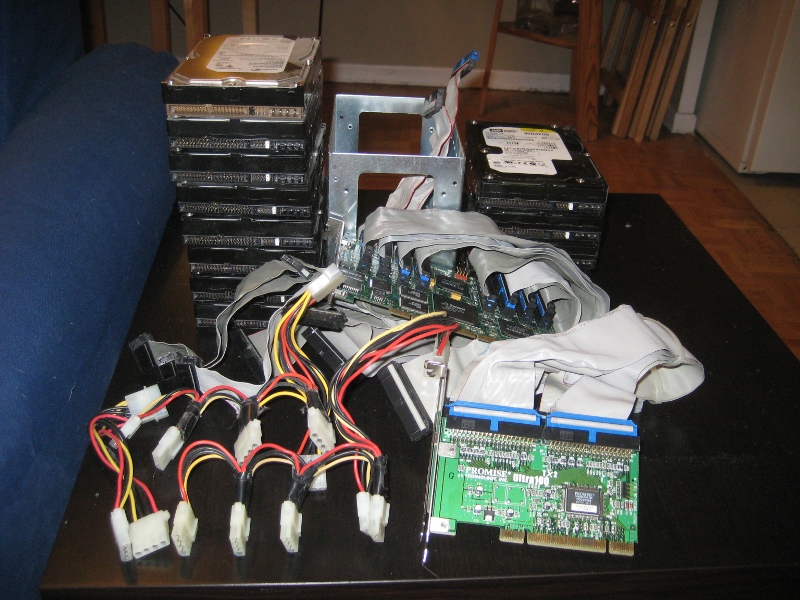
And here’s what I got to pull _out_ of the computer: over a dozen IDE drives between 200-400GB each, several feet of IDE cable, a drive tray, a stack of power cables, and the 3 PCI cards it took to hook everything up to the motherboard. Plus a 120mm fan that kept it all cool (not pictured):

one_and_zeros-03

What did I gain? Well, so far, no more crashing. And things are cool enough that I could remove an extra fan, making it quieter. The new drives takes up about 1/3rd of the space and use about 1/4 the power of the old setup. And capacity has more than doubled to almost 5.5TB!

Now… time to Ebay a stack of hard drives… :)

ContourHD

Not long after I bought my SV, I also bought a bracket that allowed me to mount my DV cam to the gas tank. I only ended up using it once… because DV cams at the time were still pretty big to be bending over one riding a motorcycle… it took space normally reserved for my tank bag… and it was only high enough to be peeking out through the mini windshield on the bike. Good to protect the camera from wind blast… but you know how clear plastic can get enough fine scratches on it that it appears hazy? Yeah, that’s what I had… so the video I did record was less than stellar.

Fast forward a couple years, and I friend I met through the ODSC site, BJ, owned a GoPro HERO Wide helmet cam… and I wanted one! It took good video and was compact enough you didn’t notice it on your helmet. So after seeing the raw and YouTube versions of his footage, I went online to get one myself.

“But…” I thought, “before I commit… I should look around and see what else is out there”. Maybe I could wait for a new version of something just a bit shinier?

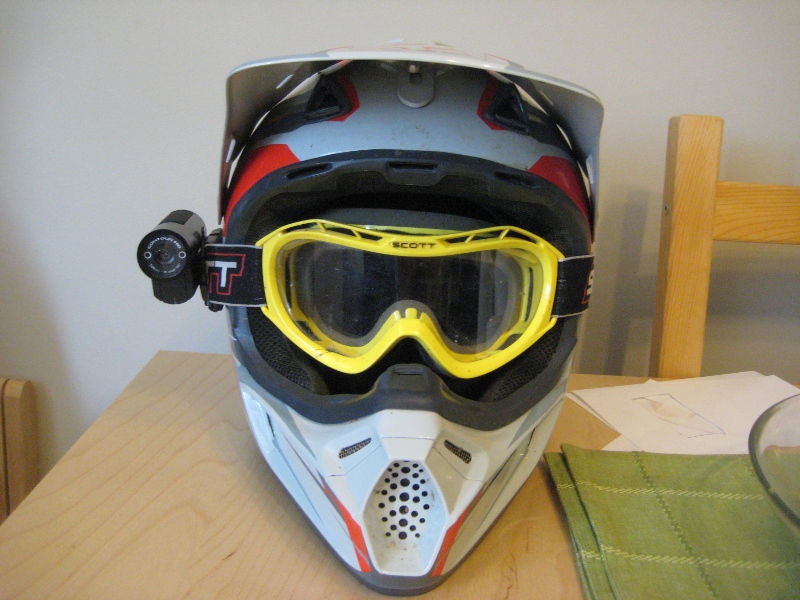
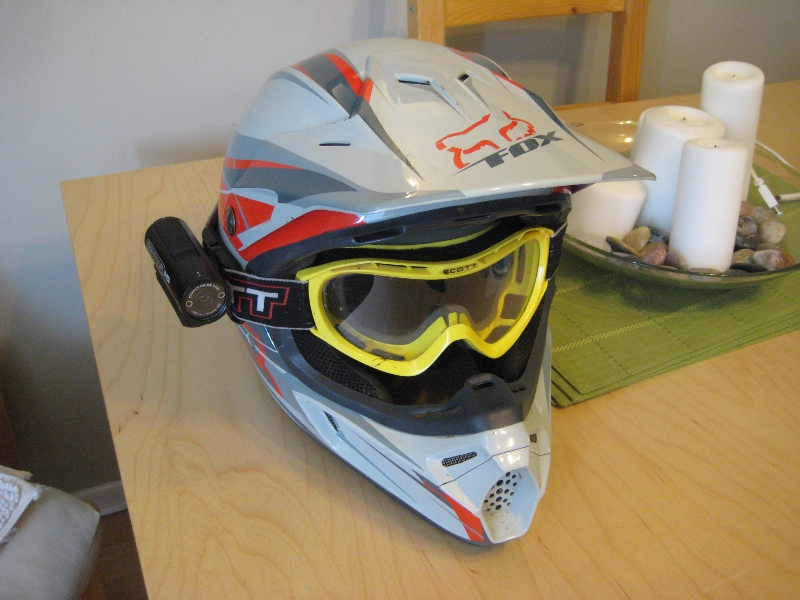
I found the ContourHD. A little bit larger than the GoPro, but could take a bit more detailed video and accepted larger SD cards. It came with a standard sticky mount and one designed for the strap of your goggles, like you use on a dirtbike. Here it is on my crusty old helmet:

contourhd_1_800

contourhd_2_800

contourhd_3_800

At the highest detail (1280×720, 30fps, 135 degree FoV) it consumes a gig of storage every 30 minutes, and at the lowest res (848×480, 60fps, 90 degree FoV) it can store 60 minutes of video in the same space. Since it only comes with a 2GB card out-of-the box (1 hour of HD footage) I bought a 16GB card to go with it. Theoretically that should allow about 8 hours of HD… more than enough for a days ride…. but my second battery hasn’t shipped yet. So I have storage for 8 hours… but with the standard single battery I only have the juice to record 2 hours.

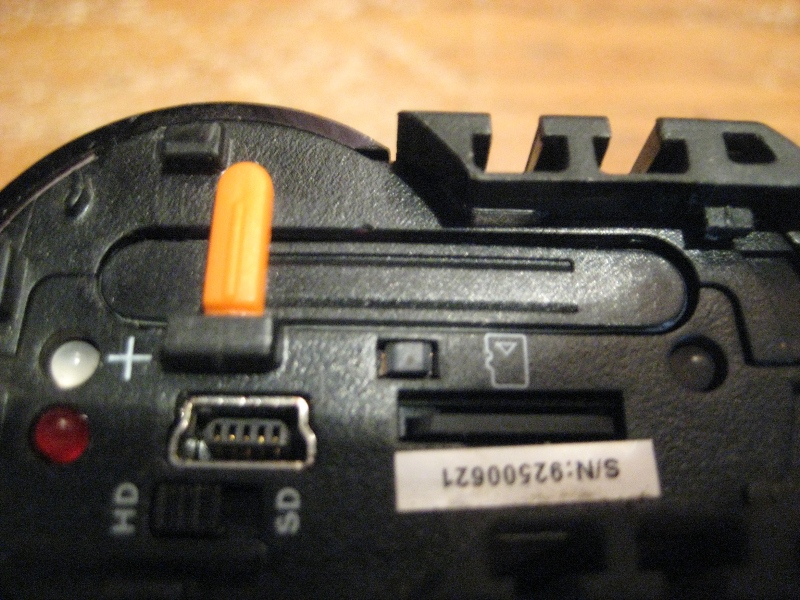
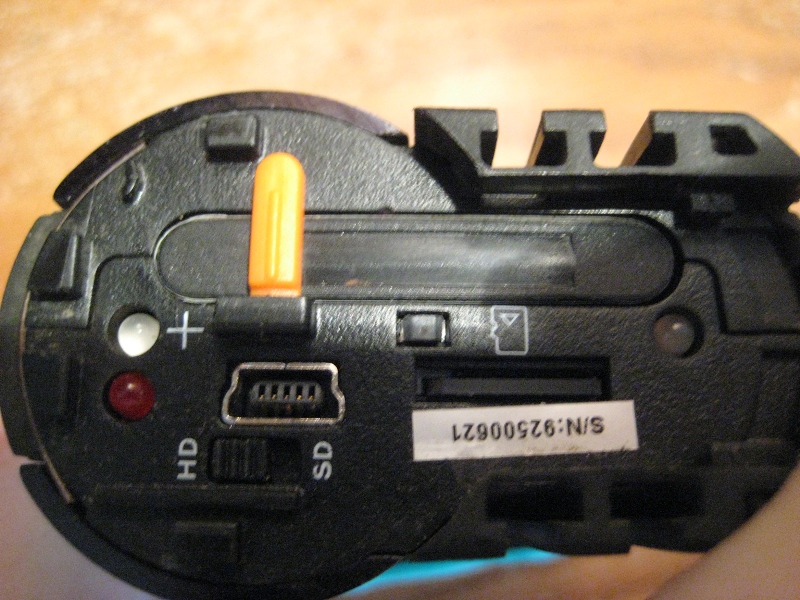
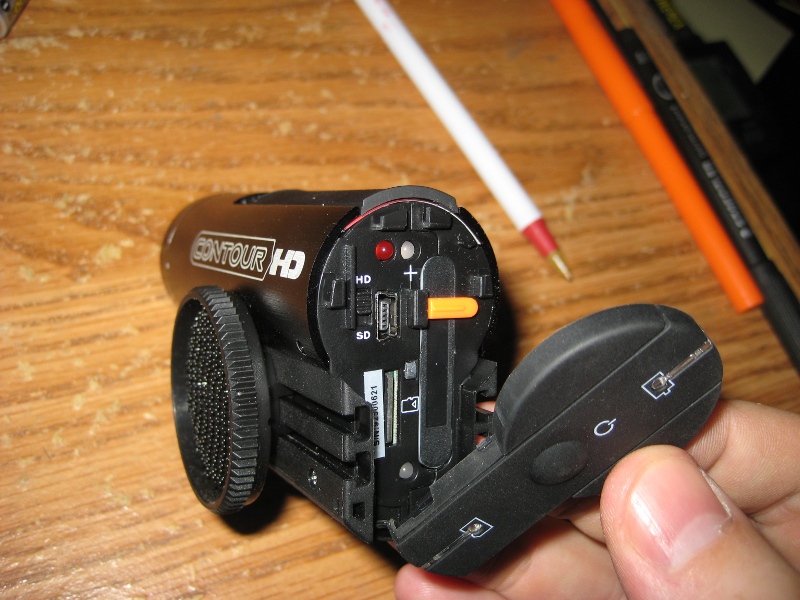
All the goodies are behind one door on the back: microSD slot, battery, USB port, and HD/SD switch. It’s fairly easy to use: a button on the back to turn it on (15 minutes of inactivity and it turns off)… big slider on top (easy to use with gloves): push it forwards and it beeps once to indicate the start of a new recording… slide it backwards and it beeps twice to say it has stopped.

contourhd_4_800

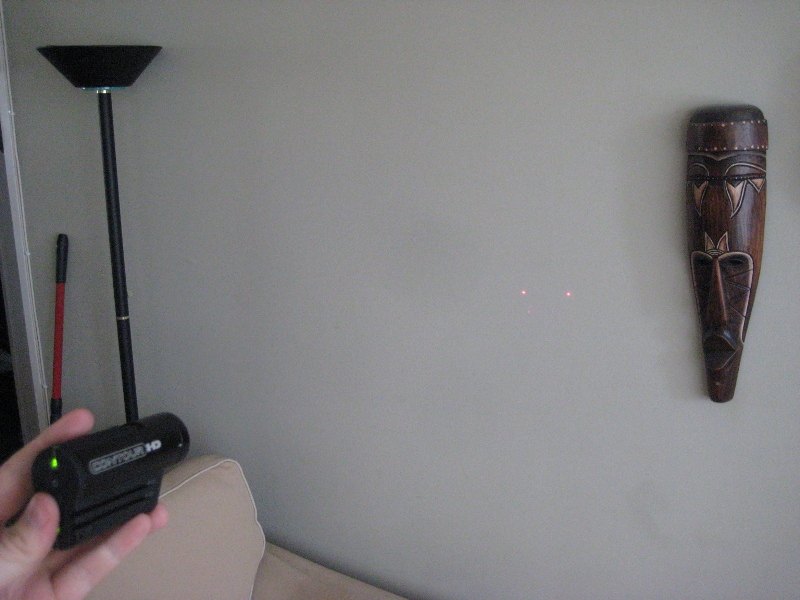
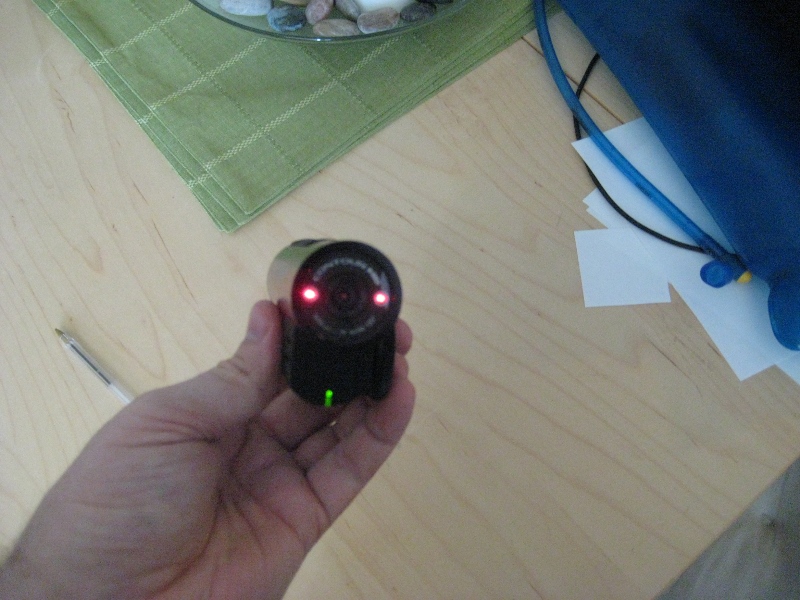
And… something I’ve never seen before: for a couple seconds on initial startup or for about 10 seconds if you hold down the power button for 3 seconds… two tiny laser lights to indicate where the camera is pointing, and if it’s level (the lens can be rotated through 90 degrees in case the mount point is crooked). Here you can see the 2 red dots on the wall, and on the camera:

contourhd_5_800

contourhd_6_800

I don’t have any real footage yet, but as a sample of what I get off my 3rd floor balcony on a sunny day: (note: playing these links in my browser seems to make the video jerkier than if I play them in a standalone player like VLC):

SD Example Clip (7.5MB)

HD Example Clip (13.5MB)

I can’t wait to use it for real this weekend!

WordPress & plugins are some pretty slick software…

A couple years ago now I decided to stop hosting any sort of public web service (like this web site) on my home computers. Residential broadband connections were still a bit flakey, upload speeds were low, and as cool as it may be to have total control over things… I didn’t want to deal with mundane day-to-day maintenance.

So I bought a few years of dirt-cheap hosting at GoDaddy and installed WordPress. This made it easy to post new info (since the browser is also the text editor in WordPress), and the GoDaddy people take care of keeping everything online.

Then I started to get comment spam. So I installed the Akismet plugin… and although I’ve continued to receive over 8000 spam comments… none have been posted.

Then as I started to post more info and pics to the page… I got worried about unrecoverable failures. So I installed the BackupWordPress plugin, which performs a backup and emails a compressed copy to my Gmail account daily.

Then I installed the WP Super Cache plugin: just because I like the idea of caching and compressing content to make the most of the precious commodity (bandwidth) while burning off the resource that’s effectively free (CPU time).

Finally, about 30 minutes ago, I found a WordPress plugin that became my new best friend. I hadn’t upgraded WP in almost 2 years… just because I thought it would be too much of a hassle… even though I knew I was running a version with bugs and known vulnerabilities (perhaps one reason I had so much comment spam). WordPress Automatic Upgrade did all the heavy lifting for me: now I’m running the latest version and all my posts and pics have remained intact!

All this software is 100% free to use, and has a vibrant community surrounding it. Although I haven’t tried any of the competitors of WP, I think WordPress is a great tool for making your own little home on the web!

Time to try a new ISP…

I’ve had Rogers “Extreme” cable Internet for over a year now… and although connectivity has been solid, the speeds have become slower, and slower, and slower. It’s at the point now where on average my DSL line moves 3x-4x more data than the cable line every day.

The main reason for the speed decrease is that Rogers is restricting how much information certain programs can move over their lines. In the past they mostly restricted “Peer to Peer” (P2P) programs… but now they’re also throttling encrypted traffic as well. When most other ISPs are selling you unrestricted Internet access it doesn’t make much sense to pay for a premium package from Rogers that is actively trying to slow you down.

Throttling of encrypted traffic doesn’t make much sense to me. If anything the Internet would be better off with more of it’s day-to-day traffic being encrypted… and Rogers is essentially saying that if they can’t read the information coming out of you personal computer they’re going to slow it down. It’s sort of like the post office saying they’ll deliver postcards (where everybody can read what you wrote) at the regular speed… but anything you send in an envelop will take 10 times longer. Read more here:

Original Site
Slashdot gets in on the act

So, I’m going to price out a dry DSL line from Sympatico or TekSavvy instead. Rough back-of-the-napkin math shows I should save $5-$10/month, and also get a faster connection to boot. What’s not to like?

Cell Phone Pictures…

…are universally pretty bad. I went out of my way to get something a bit better than the standard 640×480 res on my phone, but still anything that’s dark comes out grainy. Still, I find I capture many more moments now that I have the camera as part of my phone (which means it’s usually with me).

I read about a program called GREYCstoration on Digg.. but 30 seconds of playing with it’s CLI options left me with nothing. Still, the idea of removing “grain” (?) from pictures, especially dark ones, was interesting. So I downloaded a free version of Neat Image. Here’s before(left)-and-after(right) pictures of my friend Iain hailing us a subway on a recent trip to New York (click for full-res versions):

Before After
Nice improvement, no? I wonder if it’s cheaper for a manufacturer to put better optics in a phone, or to give it a bit more CPU horsepower to do this kind of filtering in the phone on-the-fly? Maybe the better question is if people who are happy just to be able to take pics on their phone are “discerning” enough to care and pay for the extra quality? Maybe not… 

Two more samples of the filtering: a Korean grill dinner with friends in downtown Toronto:

Before After
Before After

SLI

A couple months ago I bought a new Dell LCD. My old monitor was getting so dim that it was hard to watch movies, and the price was right, so it was an easy decision.

The problem with a newer larger screen, especially a LCD, is that you tend to want to play games at the “native” resolution, which for this model was 1920×1200. To do that I had to basically turn down/off all the features that made things look good. That sucked. But I had a way out…

When I bought my motherboard and video card I bought a “SLI” model that uses PCIe. I didn’t really need that feature at the time: and I have a bad record for buying features “I may need some day” that I never end up using. But this time I got lucky.

The SLI feature lets you join 2 video cards together to share the load. But the problem was you need 2 identical cards… and it’s very difficult to find a second identical card months after buying the first because the tech and brands change so often. But almost the same day I started to look into it I saw Nvidia had released a new driver set with this interesting feature:

Mixed vendor support for Nvidia SLI.

Still, who knows if it would work? I emailed the support alias for my current card, and they all but guaranteed it wouldn’t. Undeterred, I ordered a second card, from a different vendor, with a different firmware version and different CPU and memory speeds. But the important bit was the same: a Nvidia 7800GT chipset.

Success!

SLI

The black XFX card on the bottom is the new one, and it’s connected to the original card above it using the black “LanParty” SLI bridge that came with the motherboard.

There’s games I want to revisit now, such as Half-Life 2 and Far Cry (not to mention Quake 4 and FEAR that I haven’t played yet) that I can now play in higher res with AA/AF etc. But first, sadly enough, I want to finish replaying an old classic that makes absolutely no use of the large screen or spiffy video cards. Think you can identify it? Click here

We don’t need any more speed?

Give this posting a quick read.

Will people find a use for (or at least will they pay for) faster internet service? This is the interesting table from that article (copied locally so as not to abuse that bloggers bandwidth: I didn’t make it):

need-for-speed

Right now, assuming the average widely-available download speed is 1.5Mbps, people don’t mind sitting around and waiting for a MP3 to download so they can listen to it. Waiting 15 minutes for a 30 minute TV show is about as much time as I’d hang around for semi-immediate gratification. But, today, do people sit in front of their computers for an hour waiting for a 2 hour movie to download? Or almost 4 hours for a DVD image?

No.

That requires kicking off a download now and remembering to come back to view it later. Honestly that’s a bit much to ask for a person who could otherwise just turn on a TV, rent the the DVD, or even drive to the theatre… watch the movie… and come back before the download completes.

But would they wait around 12 minutes for a DVD? Absolutely! It boggles my mind how people can think that excess capacity won’t be used: when there’s already a huge market for entertainment at the quality of a regular movie or DVD. Look at the market for higher megapixel cameras. Driving higher resolutions for games on computers. Big-screen and HDTV TV’s. Digital cable and satellite subscriptions. People will pay to put prettier pictures in front of their eyeballs… and that table shows that people can get higher quality entertainment with near-immediate gratification by paying for quicker internet access.

I pay about $90/month for Internet now. Which sounds like a lot, until you consider that connectivity replaces the costs I’d otherwise pay for news/cableTV (web sites) and phone bills (Skype and webcam). Would I pay for faster access? Possibly: right now Toronto has excellent (for North America) speeds for DSL and cable ISP services… so I wouldn’t pay for extra download capacity. Though I would pay for extra upload capacity.

When is it time…

…to just throw stuff out?

I did a bit of pre-Xmas cleanup today, and pulled a dusty old computer out of my closet. I remember it used to be my firewall, so it had Linux on it, but other than that I couldn’t remember the last time it was used. So I plugged it in and as luck would have it, it booted! The filesystem checker shows I had neglected it since 2002…

486 Fsck

It was a AMD 486 DX4-133 w/16MB RAM and a 10GB disk drive, running Slackware 8.1. Back when I was in UWO it was a kick-ass system… now my old PDA could run circles around it, and my cell phone would probably give it a run for its money.

I hate getting rid of things that still work. Hate it. But for the life of me I can’t think of a use for this old PC.

I suppose I should wipe it of any personal info, and send it to meet its maker…

Rogers Internet and BitTorrent Throttling…

…so, for the last few days my Rogers cable internet connection has been acting strangely. BitTorrent (BT) downloads were coming in at a trickle, yet both the Rogers and Sympatico speed tests showed things were fine. Debian updates were lightning quick downloading, and FTP uploads would max the connection… so it wasn’t a problem with the modem or signal strength.

After combing through firewall and routing rules to see if I messed things up (though I hadn’t changed anything), I decided to check some newsgroups and ISP forums.

It turns out many people had seen the same problems, and some claim to have talked to Rogers reps on the phone and were told that, yes, BT in general was being throttled. And it sounded more sophisticated than just port throttling, as people that were using non-standard ports were affected too. Suggested workaround: change your BT listen port to 1720, as 1720 is apparently the port used by Rogers’ own VoIP service (and thus opted out of any sort of throttling).

So I made the change…

…and my BT speeds jumped from what were 5KB/s up and down, to capping my upload and 200KB/s download (see jump at 10am):

uncapped1

All my Linux distribution downloads use BT, as do games like World of Warcraft for their updates. I wonder if enough people will complain about their legit BT downloads being throttled that Rogers will revert the change?

Next Page »